Go back

Generate more leads: Put your team’s business cards to work

Meer leads genereren leadformulier

At a trade show, your team speaks to dozens of potential customers. Business cards are exchanged, questions are answered and sometimes follow-up meetings are arranged on the spot. Yet afterwards, it often turns out that not everyone’s contact details have been recorded. And even when details have been collected, it’s not always clear what each person was interested in.

That’s a missed opportunity, especially considering the time and effort your business puts into attending these events. The same thing happens during client visits and networking events. Your employees make valuable connections, but everyone has their own way of storing and managing contact details.

With a Wizard Card and a customisable lead capture form, you can take a more organised approach. Your team can collect contact details instantly, along with information about the products or services someone is interested in. This makes it much easier to follow up with new contacts in a more relevant and personal way.

Sharing a business card isn’t the same as generating leads

A business card is a convenient way to exchange contact details, but when employees only share their own information, it’s entirely up to the other person to make the next move.

That isn’t necessarily a problem, but it does mean valuable contacts can be lost. Someone might get in touch later, but their business card could just as easily end up forgotten in a bag or desk drawer.

Of course, employees can also collect paper business cards from the people they meet. However, those details still need to be entered manually, stored and passed on to the right person within the organisation. When several colleagues regularly meet new people, this can take up quite a bit of time.

Generating more leads doesn’t always mean arranging more meetings or attending additional events. Often, there’s already an opportunity to make better use of existing conversations by capturing new contacts’ details straight away.

Turn your team’s business cards into lead generation tools

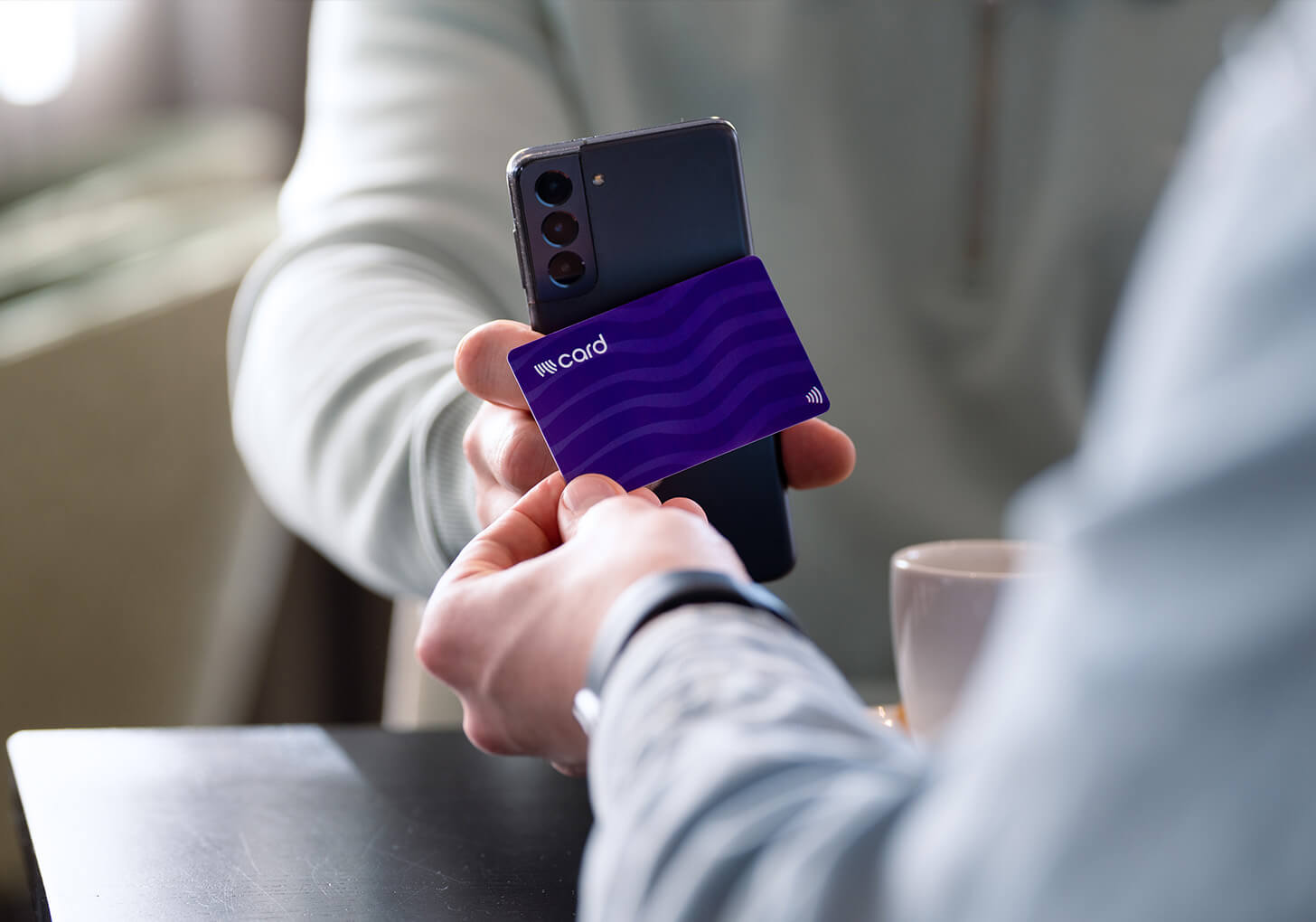
With a Wizard Card, employees can share their contact details using NFC or a QR code. The recipient opens a personal profile containing information such as a phone number, email address, website and other relevant details.

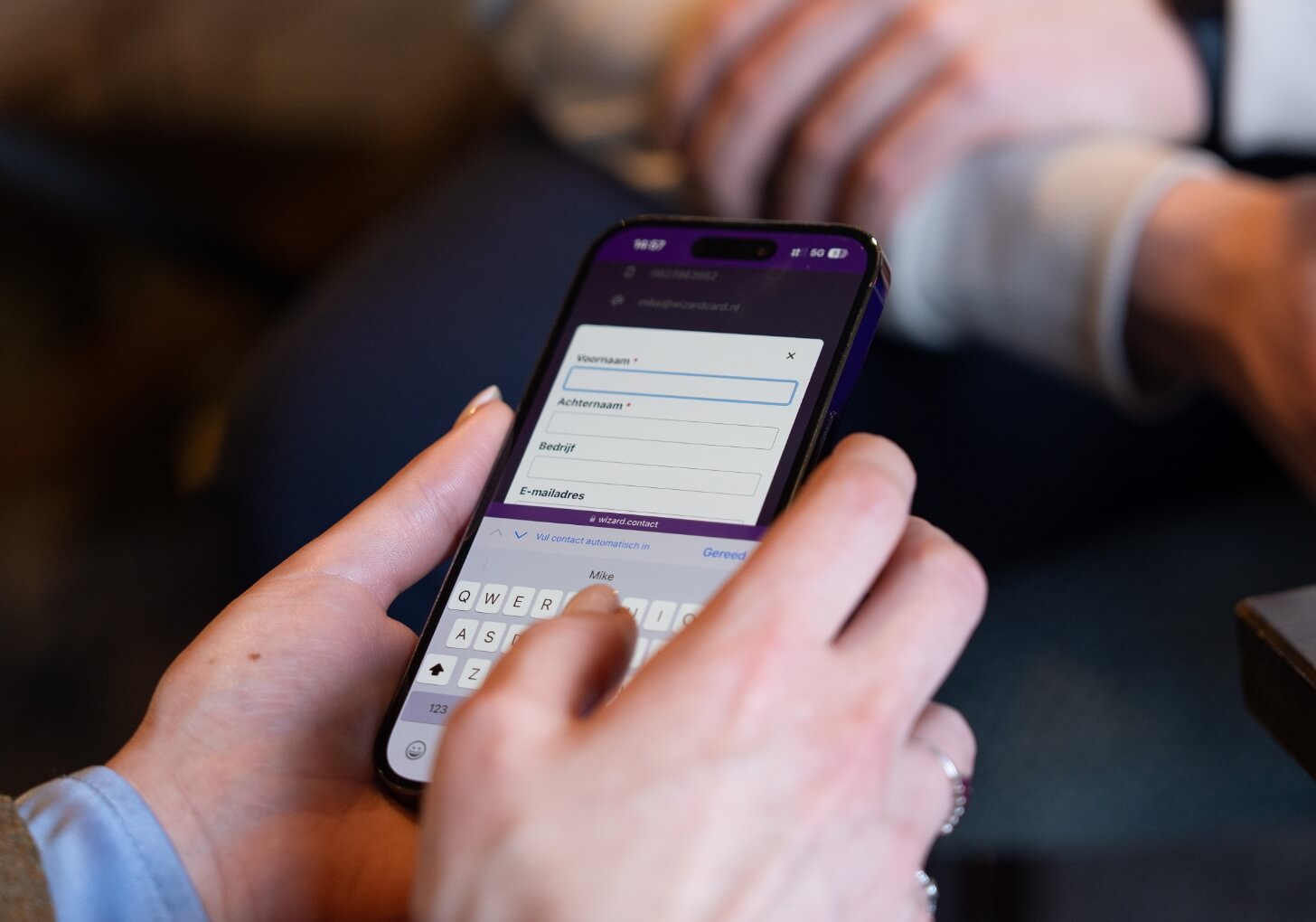
By adding a lead capture form to the digital business card, interested contacts can also share their own details digitally, including their name, company name, email address and phone number. Once someone completes the form, the employee receives an email containing their details. There’s no need to exchange paper business cards or manually enter contact information, as everything is immediately available digitally for follow-up.

For businesses, the real advantage is that this approach can be used across an entire team. Whether your organisation has ten account managers, fifty field sales representatives or employees from different departments who regularly meet new people, everyone can collect contact details in the same way. This means digital business cards do more than simply share your team’s contact information. They also help your organisation generate leads from everyday business interactions.

A lead capture form tailored to your organisation

Not every organisation needs to collect the same information. A business offering several products, for example, might want to know which products a potential customer is interested in, while a recruitment department may be more interested in the type of role someone is looking for.

That’s why you can customise Wizard Card’s lead capture form to collect the information that matters to your organisation. Alongside standard contact details, you can add extra questions, such as multiple-choice options for different products or services. This allows potential customers to indicate what they’d like to know more about or what they’d like to be contacted about.

For example, if your organisation offers three different services, you can include them as options in the form. When a new enquiry comes in, you’ll immediately know which service the person is interested in, making it easier to follow up with relevant information.

You can also tailor the form to specific events. At a trade show, for instance, visitors could indicate whether they’d like to request a quote, receive more product information or arrange a meeting.

This way, you’re not just collecting contact details. You’re also gaining a better understanding of what potential customers are looking for, helping your team distinguish between general contacts and qualified leads worth following up.

Get more out of your trade show attendance

A customised lead capture form is particularly useful at trade shows. Employees often speak to a large number of visitors in a short space of time, making it difficult to remember every detail of those conversations. When visitors share their contact details through a digital business card and indicate which product or service they’re interested in, that information is recorded straight away.

After the event, your team won’t need to sort through a pile of business cards to work out who needs to be contacted and why. Contact details have already been collected digitally, along with information about each visitor’s interests. This makes it easier to identify valuable leads and decide on the most appropriate follow-up. After all, someone requesting a quote needs a different approach from a visitor who’s still exploring their options.

Useful for recruitment too

Lead generation isn’t just about finding new customers. A customised lead capture form can also be valuable for recruitment. For example, an organisation that regularly attends careers fairs or hosts open days can invite interested candidates to scan a digital business card and leave their contact details. By adding questions about their preferred industry, field of work or previous experience, the recruitment team can immediately collect information that helps them assess and follow up with potential candidates. This means the same solution can be used for different purposes across an organisation, from sales and customer relationship management to finding new employees.

Send new leads directly to your CRM system

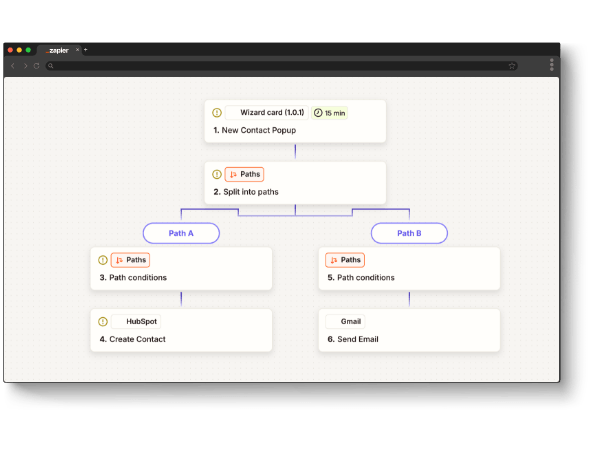
The contact details employees collect through the lead capture form can be automatically sent to your organisation’s CRM system. By integrating with Zapier, new leads can be added directly to platforms such as HubSpot, Salesforce or any of the other 6,000+ supported apps.

This is particularly useful when several employees are making new connections every day. Contact details no longer need to be entered manually into your CRM system, as they’re immediately available within your existing sales process. This allows the right colleagues to follow up more quickly. Prefer not to use an automatic integration? Your Card Manager administrator can also export the collected leads as a CSV file, which can then be imported manually into your own system.

Let smart workflows do the work

As well as integrating with your CRM system, you can use the information collected through the lead capture form to automate parts of your follow-up process. Zapier allows you to create a range of workflows. For example, you can automatically send new leads to your CRM system or trigger a personalised thank-you email containing additional information or a link to book a follow-up meeting. The answers people provide in the form can also be used to determine what happens next. If a visitor indicates they’re interested in a particular service, for example, you can use connected systems to automatically send a relevant follow-up email or forward their details to the appropriate department.

This is particularly useful for organisations where several employees collect contact details and different departments are responsible for following up. By connecting the collection and processing of contact information, you can save your team time and reduce the risk of valuable leads being overlooked.

Zapier workflow CRM

Gain insights into how your digital business cards are used

When your organisation uses digital business cards, it’s useful to understand how they’re being used. These insights can be particularly valuable when employees regularly visit clients or attend events. With Wizard Card’s Card Manager, you can track the number of scans, contact detail downloads and interactions with links on your team’s digital profiles. For example, you can see which employees use their business cards most frequently and how usage changes over a particular period or during an event.

This information can help you identify what’s working well within your organisation and where there may be opportunities for improvement. You might discover that some employees regularly use their digital business cards, while others have yet to make full use of their features. Of course, the number of scans doesn’t tell the whole story. An employee who has ten meaningful conversations with potential customers may ultimately generate more valuable leads than someone who shares their business card a hundred times. That’s why it’s important to look beyond card usage and consider both the quality of the contacts collected and how effectively they’re followed up.

Make the most of every business interaction

Employees are often an important point of contact for potential customers, business partners and future colleagues. Client visits, trade shows and networking events regularly create valuable opportunities to make new connections. With Wizard Card’s digital business cards, you make it easier not only to share contact details but also to collect them. By tailoring the lead capture form to your organisation, employees can gather relevant information about the interests and needs of the people they meet.

Smart integrations and workflows can then help automate parts of the process, from handling contact details to following up with new leads. Meanwhile, the Card Manager allows you to manage your team’s digital business cards centrally and gain insights into how they’re being used. This helps you get more value from the conversations your employees have every day, turning your business cards into practical tools for generating valuable leads.

Curious about what a customised lead capture form could do for your organisation?
Explore the possibilities of Wizard Card’s lead capture form and Card Manager. We’d be happy to show you how they can support your team, trade show attendance or recruitment activities. Feel free to get in touch.