Go back

How to update your business opening hours on Google

Keeping your business opening hours up to date on Google may seem like a small detail, but it can make a big difference. When customers arrive to find your business closed because your opening hours are incorrect, it often leads to disappointment and missed opportunities. Customers rely on Google to quickly check whether a business is open, especially during public holidays and weekends.

In this blog, we’ll explain step by step how to update your opening hours on Google. We’ll also cover why it’s important to keep your business profile up to date and share tips for managing special opening hours. This will not only help you keep customers better informed, but also improve your online visibility and reputation.

Why is it important to keep your opening hours up to date on Google?

Keeping your regular opening hours up to date on Google is important to ensure customers always have the correct information. Many people quickly check Google to see whether your business is open, and incorrect opening hours can cause confusion. Imagine someone making a special trip to your shop, only to find it closed because you’re temporarily unavailable. This can lead to disappointment and even negative reviews.

Updating your opening hours can also help improve your visibility on Google. Keeping your business information accurate and up to date helps customers find reliable information about your business, particularly when they’re searching for somewhere that’s currently open.

Adding special opening hours for public holidays or other occasions ensures customers know when they can visit. It’s a small task that can make a big difference to customer satisfaction and your business’s online visibility.

What do you need to update your opening hours?

To update your opening hours on Google, you’ll need a few things. First, you need access to your company’s Google Business Profile. This allows you to edit your business information on Google and manage important details, such as your special opening hours.

It’s also useful to have your correct opening hours ready, especially if you want to set temporary opening hours for public holidays or events. This way, you can clearly indicate when your business is temporarily closed or operating different hours.

You can update your opening hours using a computer or directly through Google Search or Maps on your smartphone. Regularly updating your opening hours helps customers find accurate information and prevents confusion.

What are special opening hours?

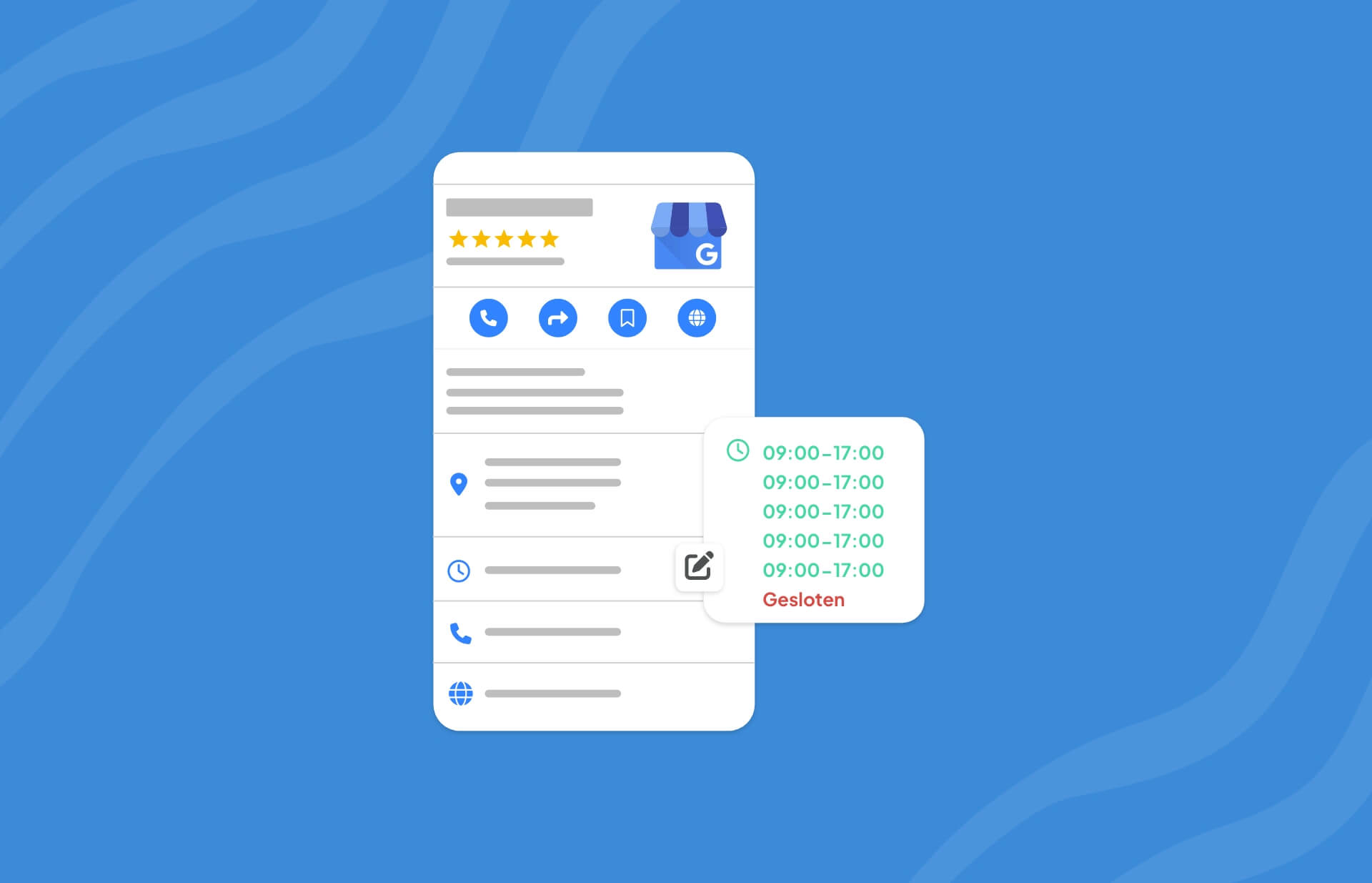
Special opening hours are adjusted hours you can set for days when your business operates outside its regular schedule. This can be useful during public holidays, events or periods when you temporarily have different opening hours. By adding special opening hours, you let customers know exactly when your business is open, helping to avoid confusion.

You can use these settings to indicate when your business opens later, closes earlier or is completely closed for the day. This keeps your business information on Google accurate and reliable, so customers know what to expect.

How to update your opening hours on Google Business Profile

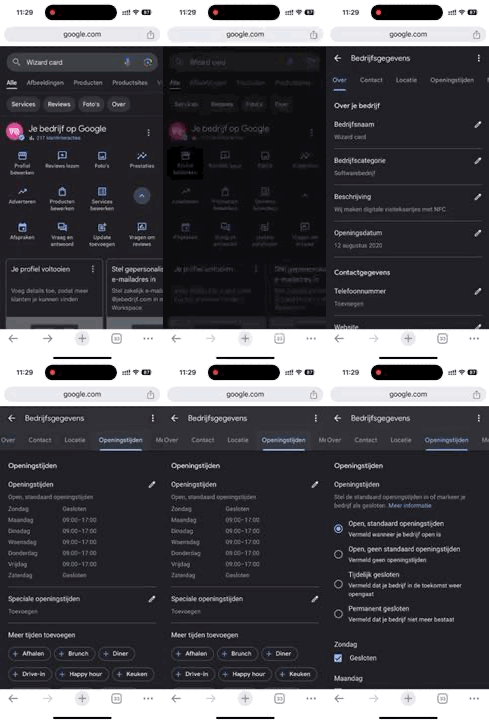
To update your business opening hours on Google Business Profile, follow these steps:

  1. Sign in to your Google account and search for your business name on Google to access your Google Business Profile. You can do this on your computer or smartphone.
  2. Go to your profile: Once you’ve accessed your profile, you’ll see an Edit profile button. This is where you can update your business information.
  3. Select the Opening hours section: Find the opening hours option in the menu and click on it to update your current hours.
  4. Update your hours or add special opening hours: Here, you can change your regular opening hours or add special opening hours for specific dates, such as public holidays.
  5. Save your changes: Click Save to apply your changes. Your updated opening hours will usually appear on your Google Business Profile within a few minutes, although some changes may take longer to be published.

When should you update your opening hours?

There are several situations where updating your opening hours on Google is essential. Here are some common examples:

1. Public holidays and special occasions

During public holidays, such as Christmas, King’s Day or New Year’s Day, many businesses operate different opening hours. To keep customers informed, you can set special opening hours for these dates. This prevents customers from arriving to find your business closed and ensures your business profile stays up to date.

2. Temporary closures or unexpected changes

Sometimes unexpected circumstances, such as maintenance, illness or other emergencies, mean you need to close temporarily. By updating your opening hours, you can let customers know when you’re available again and avoid confusion. You can also indicate when you expect to return to your regular opening hours.

3. Seasonal opening hours

For seasonal businesses, such as ice cream shops, beach cafés or seasonal attractions, it’s useful to adjust opening hours throughout the year. For example, you might extend your opening hours during the summer months and reduce them in winter. This ensures customers can always find accurate information about when you’re open.

4. Special events or promotions

Are you organising a special shopping evening, customer event or promotional activity? Update your opening hours so customers know about your extended opening times. This can help attract more visitors and ensure customers know when they’re welcome.

By keeping your opening hours accurate in these situations, you ensure your Google Business Profile stays up to date and customers are always well informed. This helps build a trustworthy online reputation and makes it easier for customers to visit or contact your business when you’re available.